A Stray Line Gameplay Hub
Point-and-click exploration, notebook spellcasting, and drawing-based combat from Sprout Haven.
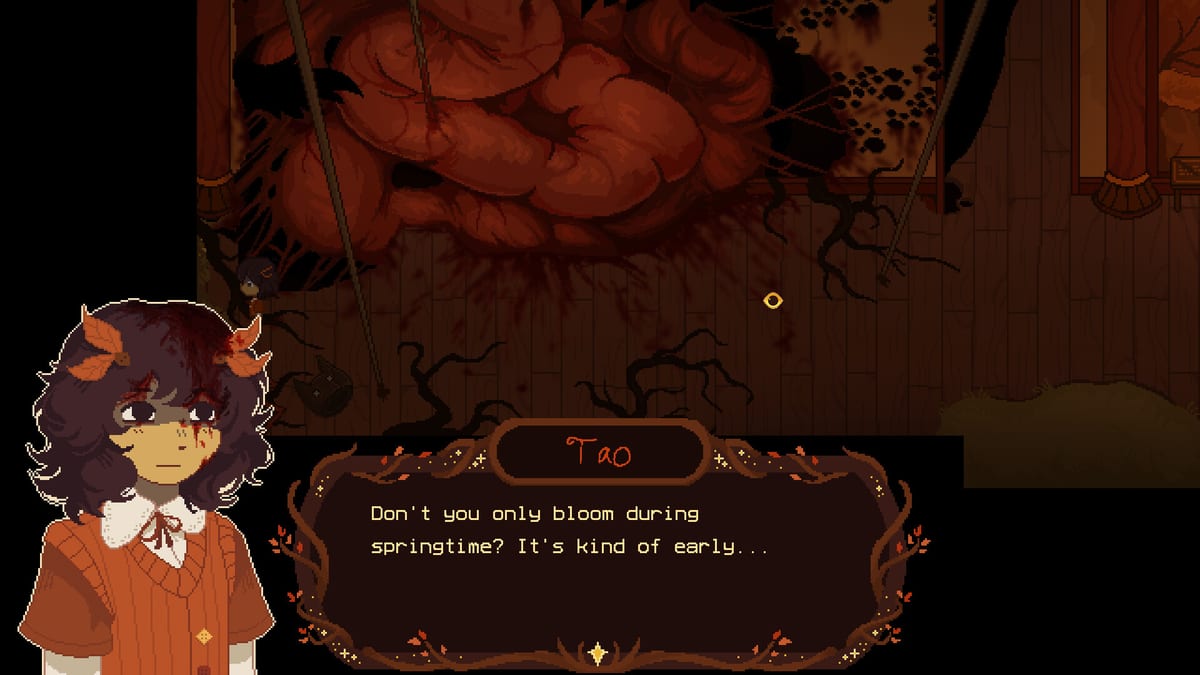
Welcome to the gameplay hub for A Stray Line, Sprout Haven’s indie point-and-click adventure on Steam. Gameplay splits cleanly into three layers: traditional scene examination and dialogue, draw-to-cast spell work in your notebook, and real-time symbol tracing during combat encounters. The Chapter 1 demo launches Friday, August 14, 2026 at 9:00 AM PST and introduces all three; this hub explains how they fit together before you jump into story walkthroughs.
Core loop at a glance
Every session follows a repeating rhythm. You click hotspots to inspect objects, combine items, and talk with the cast — Taoyi, Atlas, Winslow, Ilya, and The Tube — then open the notebook to draft symbols that change the world or protect you in battle. Nothing in this hub spoils puzzle outcomes; it teaches the verbs you will reuse across the full four-chapter plan described on Steam.
If you prefer narrative routing first, bookmark the walkthrough hub and return here when a mechanic blocks progress.
The three gameplay pillars
Point-and-click exploration
Sprout Haven builds A Stray Line around classic adventure verbs: look, use, talk, and travel between linked scenes. Cursor clarity matters on dense woodland backgrounds, so read controls and input for mouse, keyboard, touchscreen, and drawing-tablet notes before your first hour.
Spell notebook casting
Environmental spells and utility glyphs live in the notebook. Shapes you draw outside combat can unlock paths, interact with objects, or trigger story beats. The dedicated spell notebook guide explains practice habits, stroke order discipline, and how to avoid false recognition when symbols look similar.
Drawing-based battles
Combat asks you to match incoming projectiles with associated symbols under time pressure. Fail states are usually recoverable, but repeated mistakes drain pacing. Study battle system basics for pattern reading, hand positioning, and when to prioritize defense over story spells.
Who this hub is for
| Player type | Start here | Then read |
|---|---|---|
| First adventure game | Controls | Spell notebook |
| Art tablet user | Controls | Battle system |
| Story-first player | Walkthrough hub | Spell notebook |
| Completionist | Missables prep | Items hub |
Inputs and accessibility notes
Steam lists Camera Comfort, Custom Volume Controls, Stereo Sound, and Family Sharing accessibility tags, with keyboard-and-mouse play as the default and drawing supported on touchscreens and art tablets. Read the dedicated Accessibility guide for tag meanings, drawing combat comfort, and content-warning mindset. The controls page tracks any demo-specific remapping once players confirm options menus in Chapter 1.
Cozy horror tone and content warnings
Gameplay systems serve a story about art, found family, and body horror. Mechanical tension during battles is intentional, but some scene interactions may unsettle players who prefer pure cozy vibes. Pace yourself, save after calm exploration, and read the release FAQ for official content guidance from Sprout Haven.
Connect gameplay to the wider wiki
Mechanics never exist in isolation. Characters explain spell lore on the characters hub, regions define where notebook tools matter on the world hub, and collectible objects feed puzzles listed under items. Tools may host printable symbol sheets or practice drills. Guides bridge beginner questions that span both story and systems.
After the demo releases
This hub will gain verified UI labels, confirmed hotkeys, and battle telegraph notes sourced from public builds only. We will not publish datamined symbol tables or unused animations. Until then, treat the child pages below as your pre-demo training ground.
Child pages
- Controls and input — pointers, menus, drawing surfaces, and session setup.
- Spell notebook — non-combat casting, symbol hygiene, and exploration tricks.
- Battle system — projectile mapping, tempo, and failure recovery.
- Accessibility — Steam tags, input flexibility, and comfort settings.
Frequently Asked Questions
Quick answers drawn from what players ask most.
Do I need a drawing tablet to play A Stray Line?
No. Steam states keyboard and mouse work, with optional touchscreen and tablet support. See controls for setup tips on each input type.
Which gameplay page should I learn before the demo?
Read controls and the spell notebook guide first, then battle system basics before major encounters.
Does gameplay differ across the four planned chapters?
Chapter 1 introduces the full core loop. Later chapters may add symbols and regions; this hub will note new mechanics without spoiling story beats.
Where do walkthroughs fit with gameplay guides?
Gameplay pages teach verbs; walkthrough pages teach order and routing. Use both when stuck, starting with the relevant mechanic page.