A Stray Line Spell Notebook Guide
Master Sprout Haven's draw-to-cast system for exploration, story beats, and battle prep.
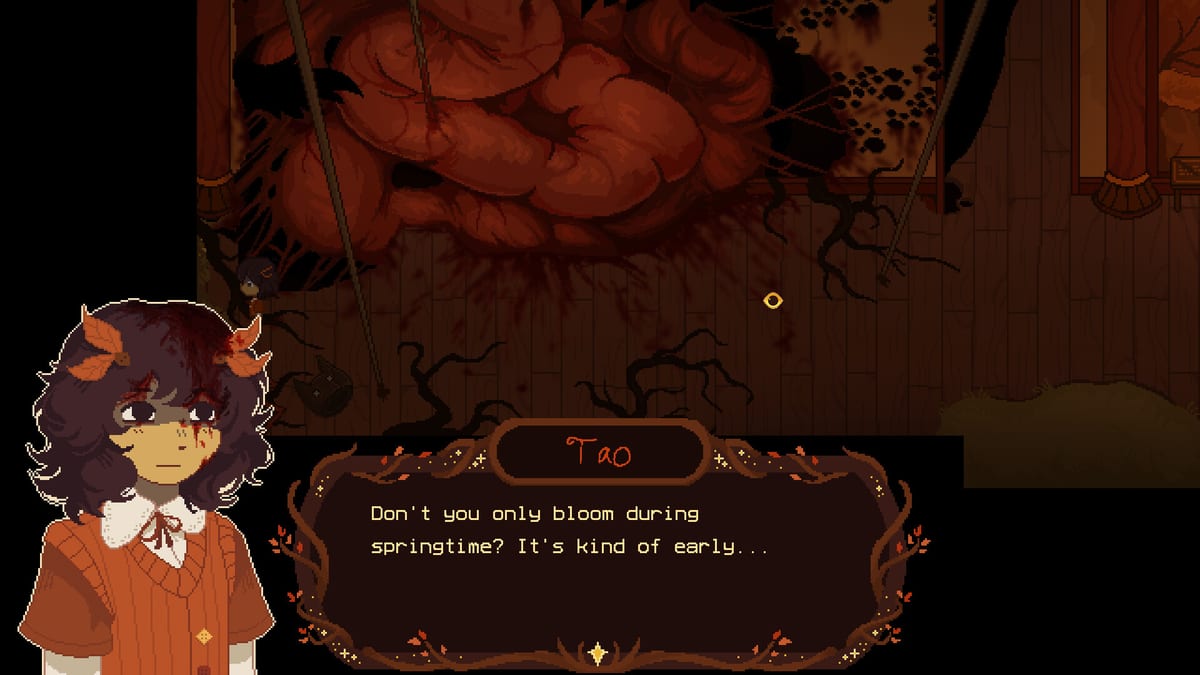
The spell notebook is the defining mechanic of A Stray Line, Sprout Haven’s indie point-and-click adventure on Steam. Official materials describe a loop where you draw symbols in your notebook to cast spells during exploration, then reuse those shapes under pressure in drawing-based battles. This guide explains how to practice, recognize teaching moments, and avoid false failures — without listing unverified glyph names or hidden late-game sigils.
Learn notebook basics here before Chapter 1 walkthrough prep and keep controls and input open for device-specific stroke tips.
What the notebook does in the core loop
Think of the notebook as your adventure verb beyond “use item” and “talk”:
- Environmental interaction — spells may cleanse, reveal, unlock, or transform hotspots when story flags allow.
- Story expression — drawing ties thematically to art and found family; characters like Taoyi, Atlas, Winslow, Ilya, and The Tube react to your magical attempts in dialogue.
- Combat preparation — symbols taught for exploration often return as defensive traces during projectile sequences detailed on battle system basics.
The demo targeted for August 2026 should introduce a limited alphabet of shapes that will expand in later chapters of the four-chapter plan.
How teaching usually works (no spoiler symbols)
Sprout Haven is unlikely to hide every spell in datamine-only files. Expect tutorials through:
- Guided notebook prompts during early scenes.
- Visual motifs in scenery that mirror stroke order.
- NPC dialogue that describes motion (“loop,” “cross,” “three lines”) without naming secret outcomes.
- Battle telegraphs that flash silhouette hints before projectiles arrive.
When a draw fails, first ask whether you learned the shape in-universe yet. Random guessing wastes time and breaks cozy pacing.
Stroke discipline that improves recognition
Recognition engines favor consistent topology over artistic flair. Practice habits:
- Close loops cleanly; open corners often fail.
- Draw at uniform scale relative to the notebook grid; micro-glyphs confuse matchers.
- Pause between strokes when the tutorial shows multi-step figures.
- Repeat from the same start point each attempt; some systems anchor on first contact.
- Avoid sketchy scribble unless a spell explicitly calls for it in taught examples.
Use paper drills from the tools hub if you want offline muscle memory before touching sensitive story scenes.
Exploration casting workflow
When entering a new area with magical cues:
- Complete a normal hotspot and NPC sweep per puzzle prep.
- Note visual glyph language on props, banners, or floor marks.
- Open the notebook in-place rather than backtracking to a hub, if the UI allows field casting.
- Attempt only shapes you have been taught or clearly see echoed in the scene.
- After a successful cast, re-sweep the room; new hotspots may appear silently.
- Save if the game permits — spell experiments can trigger irreversible story flags in horror adventures.
Notebook vs inventory interactions
Some gates require item plus spell sequencing. Try the item first, then the spell, then reverse order if dialogue hints at “imbuing” objects. Track combinations privately on the items hub until verified recipes are published post-demo.
Common false problems
| Symptom | Likely cause | Fix |
|---|---|---|
| Stroke ignored | Wrong input layer focused | Click notebook canvas again |
| Partial recognition | Open corner or tiny scale | Redraw larger with closed loops |
| Spell fizzles with flash | Missing story flag | Talk to NPCs, revisit missables sweep |
| Worked once, fails now | Context-limited cast | Re-read scene cues; spells may be location-bound |
Cozy horror tone and spell anxiety
Notebook casting during unsettling scenes can spike tension, especially when body horror imagery accompanies magical feedback. Lower stress by practicing symbols in calm hubs first, keeping breaks between retries, and reading content notes on release. The notebook is a creative tool in-universe; treating it like an art exercise helps rhythm.
Battle crossover without spoiling encounters
Battles ask for the same shapes faster. Maintain a personal legend mapping projectile silhouettes to stroke order — do not share unverified community charts until build-tested. When combat introduces a new symbol, return to exploration notebooks to see if a tutorial page unlocked automatically.
Future chapter expectations
Later chapters may add composite spells, ink modifiers, or region-specific alphabets tied to world lore. This page will expand with verified categories only. We will never publish fake complete symbol dictionaries scraped from unfinished builds.
Study path
- Controls — device setup.
- This page — exploration casting discipline.
- Battle system — timed drawing.
- Walkthrough hub — when spells gate story order.
Related links
- Gameplay hub — mechanical overview.
- Guides hub — beginner cross-topic help.
- Characters hub — who comments on your spell attempts.
Frequently Asked Questions
Quick answers drawn from what players ask most.
Do I need artistic skill to use the spell notebook?
No. Recognition favors clear topology over pretty lines. Follow taught shapes and practice scale discipline described on this page.
Can I cast any symbol anywhere?
Usually not. Spells require in-universe teaching and correct context. Random glyphs typically fail without story flags.
Are notebook spells the same as battle symbols?
Many overlap by design. Learn exploration shapes thoroughly before combat via battle system basics.
What if drawing works in menus but not in scenes?
Check input focus and device settings on controls, then confirm you learned the spell in the current chapter context.
Will a full symbol list be posted at launch?
Only verified shapes from public demo builds, labeled by patch version, without datamined unused content.