A Stray Line Chapter 1 Demo Launch Day
Friday, August 14, 2026 at 9:00 AM Pacific — how to install, what to expect, and your first-hour plan on Steam.
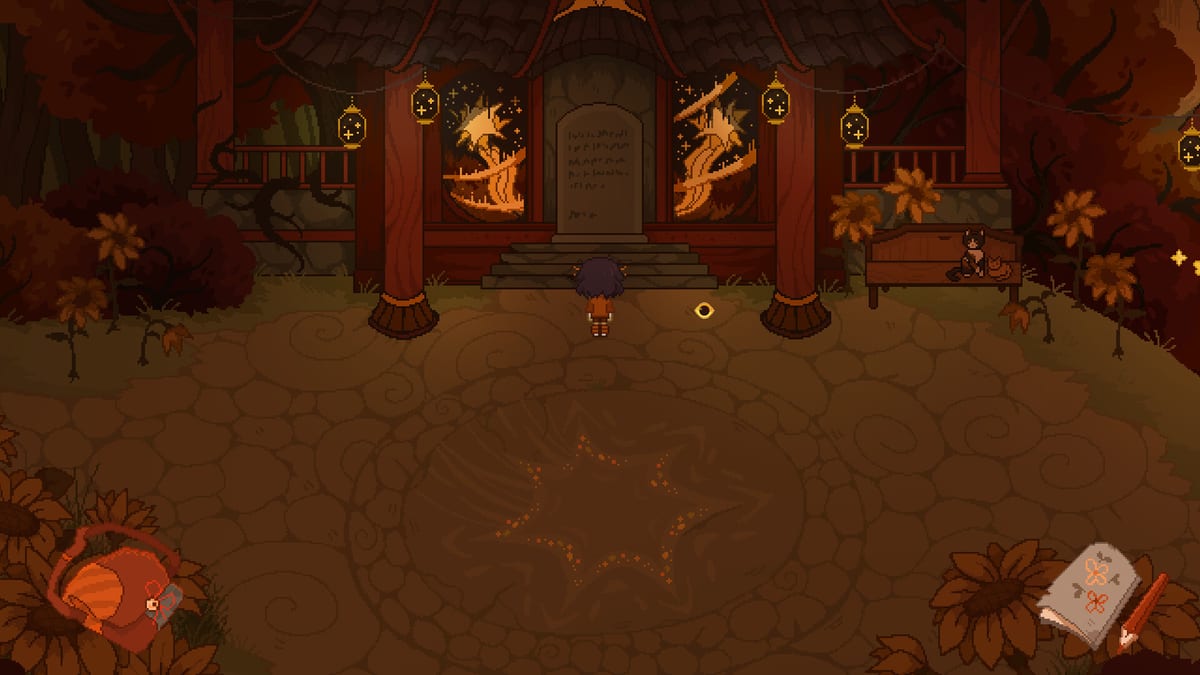
Sprout Haven announced that the A Stray Line Chapter 1 demo goes live on Friday, August 14, 2026 at 9:00 AM PST (Pacific Standard Time). That is the anchor moment for wishlisters who have been tracking the four-chapter point-and-click adventure since the Kickstarter campaign and announcement trailers. This launch day guide converts the Pacific time to major zones, explains how to find Download Demo on Steam, separates wishlist from install, and gives you a sensible first-hour plan without duplicating trailer pages elsewhere on the wiki.
The full four-chapter game remains To Be Announced on Steam app 4309480; Chapter 1 is the free demo slice introducing Taoyi Feng, found-family dynamics, notebook spell drawing, and real-time projectile battles. Treat launch day as a scheduled storefront event, not a surprise drop — but still verify the Steam store page if Sprout Haven posts a last-minute adjustment.
Official launch time and time zones
Developer posts specify 9:00 AM PST on Friday, August 14, 2026. In August, most of the United States observes Pacific Daylight Time (PDT, UTC−7), while the announcement text says PST (UTC−8). Plan for the developer’s stated clock; if you are unsure which offset Steam uses at publish, check the store banner within the first hour rather than guessing.
| Region | Approximate local time (Aug 14, 2026) |
|---|---|
| US Pacific (PDT) | 9:00 AM if aligned with announcement |
| US Eastern (EDT) | 12:00 PM (noon) |
| UTC / GMT | 4:00 PM (assuming PDT anchor) or 5:00 PM (if PST) |
| Central Europe (CEST) | 6:00 PM (PDT) or 7:00 PM (PST) |
| China (CST, UTC+8) | 12:00 AM Sat Aug 15 (PDT) or 1:00 AM (PST) |
Add the demo to your calendar with a one-hour buffer. Steam CDN propagation occasionally lags social posts by minutes, not hours.
Wishlist versus install on launch morning
These steps are easy to confuse:
- Wishlist — You followed the game on the main store page (app 4309480). That sends notifications but does not download files.
- Download Demo — A separate button or demo depot (related listing 4357360 on store API data) that adds the Chapter 1 build to your library at zero cost.
If you only wishlisted, you still need to click Download Demo or accept the demo install prompt when it appears. Wishlist alone does not queue the install. See How to Download Demo for library filters and troubleshooting if the button is missing.
Finding Download Demo on Steam
On launch morning, signed into the Steam client or browser:
- Open A Stray Line on Steam.
- Look for Download Demo near the purchase area — wording may read Play Demo on some layouts.
- Confirm the install size against System Requirements — about 6 GB storage for Windows 10 64-bit or macOS 10.15+.
- Start the download; pin the game in your library so demo entries do not hide behind filters.
- Optional: join Discord for launch-hour chatter if CDN or account edge cases appear.
Steam community news and the store banner remain authoritative if Discord times differ by a few minutes.
Pre-launch checklist (night before)
Cross these wiki pages before August 14:
- System Requirements — CPU, RAM, GPU, and macOS OpenGL notes.
- Demo Checklist — settings, exploration, combat, and boss readiness.
- How to Download Demo — depot and library details.
- Content Warnings — illustrated gore, dissociation, children in distress, death, cursing.
Free disk space, updated GPU drivers, and a chosen input device (mouse, touch, or drawing tablet) prevent first-hour friction. Backing Kickstarter is optional; demo access is through Steam, explained further on Kickstarter and demo timing.
First-hour plan after install
Once the demo unlocks, aim for this sequence:
- Run the game once in windowed mode if fullscreen flicker appears on minimum spec hardware.
- Complete movement and examination tutorials — point-and-click adventures gate notebook access behind early dialogue.
- Talk to Atlas, Winslow, and household hotspots before leaving the clearing; family scenes establish spell themes.
- Open the spell notebook in a safe room and trace tutorial symbols until recognition feels consistent.
- Skim mature themes if any scene destabilizes you — stepping away is valid; see Content Warnings.
- Save before the first drawing battle once save slots are confirmed in the demo build.
Do not rush to the chapter boss. Sprout Haven structures one major boss per chapter; Chapter 1 teaches symbols you will reuse under pressure.
What launch day is not
- Not the full game release — four chapters remain on a TBA commercial date.
- Not a Kickstarter key delivery — backers still install via Steam for the public demo unless future posts say otherwise.
- Not a console launch — verified platforms are Windows and macOS via Steam only.
Trailers and crowdfunding context live on Kickstarter guide and Getting Started; this page stays focused on the clock and the download button.
If the demo does not appear at 9:00 AM PST
Work through this order:
- Refresh the store page while logged in.
- Search your library for A Stray Line and filter Demos.
- Restart the Steam client to clear cached store state.
- Check Sprout Haven Discord for official delay posts — use spoiler tags.
- Re-read Demo Wishlist to confirm you wishlisted the main app, not only a trailer page.
Avoid third-party download sites; phishing spikes around indie launches.
After your first session
Annotate progress with How to Complete Chapter 1 and return to the Release hub when patch notes or hotfixes publish. Share the legitimate Steam link with friends — visibility helps Sprout Haven plan support load on launch weekend.
Frequently Asked Questions
Quick answers drawn from what players ask most.
What time does the A Stray Line demo launch?
Sprout Haven announced **Friday, August 14, 2026 at 9:00 AM PST**. Convert to your time zone and verify the Steam store page at launch.
Is the Chapter 1 demo free on launch day?
Yes. Chapter 1 is the demo and installs at no cost through Steam. Wishlisting does not charge your wallet; see How to Download Demo.
Do I need Kickstarter backing to play on August 14?
No. Demo distribution is through Steam. Kickstarter supports development; see Kickstarter guide for how backing differs from wishlisting.
Which pages should I read before launch morning?
Start with System Requirements, Demo Checklist, How to Download Demo, and Content Warnings.
Can I play on Mac at launch?
Steam lists **macOS 10.15+** with about **6 GB** storage. See System Requirements for full minimum specs.